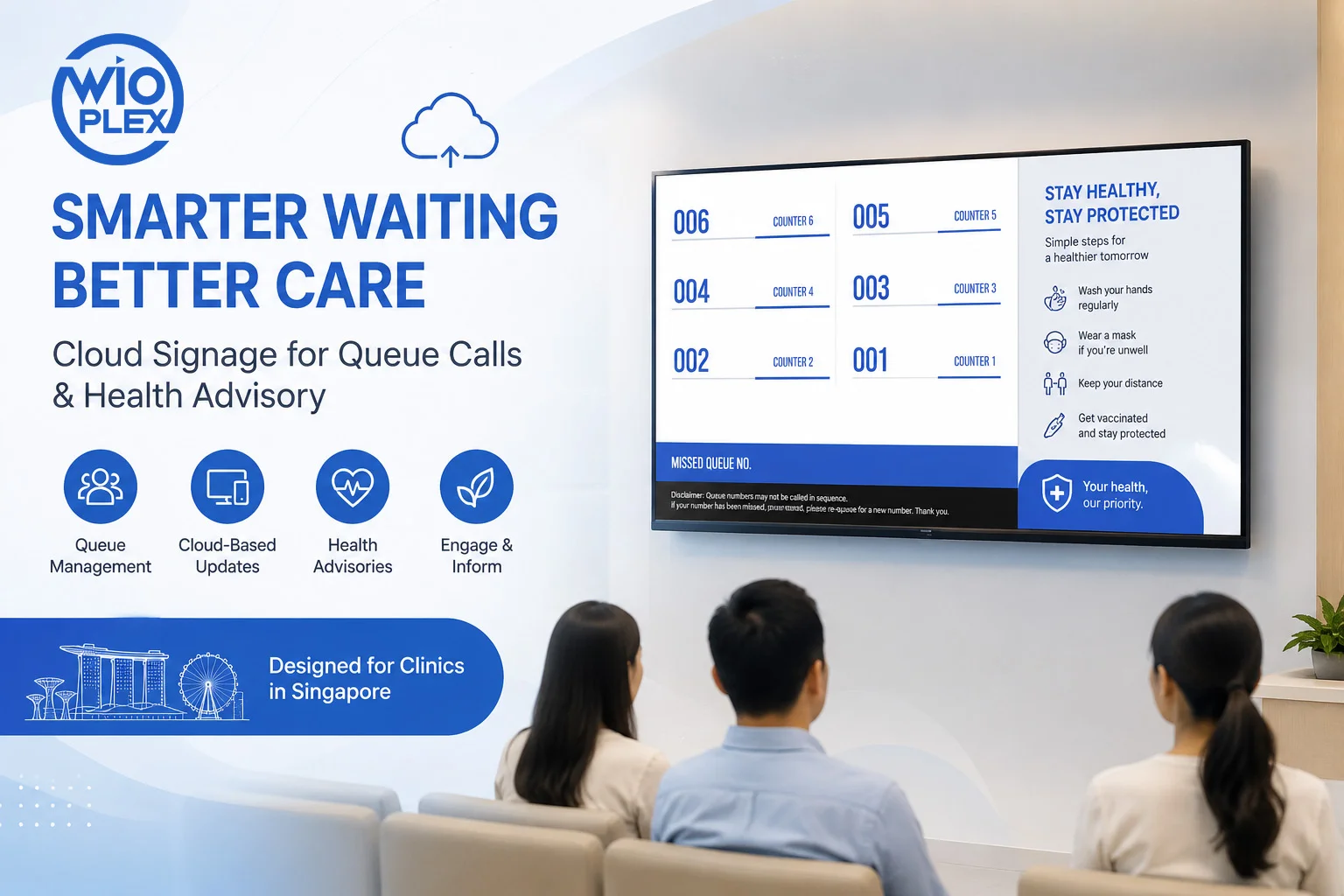
Buying an LED digital signage screen is a major step toward creating a more engaging and flexible way to communicate with customers. Whether your screen is installed in a retail store, restaurant, office, shopping mall, showroom, or event space, the display itself is only one part of the complete digital signage system.
A common question businesses ask after installing an LED screen is:
“What software do I need to actually manage it?”
An LED display can show videos, images, promotions and other content, but businesses need a reliable way to send content to the screen, organize what is displayed, schedule updates and manage the display over time.
This is where digital signage software comes in.
For businesses in Singapore, a cloud-based digital signage platform such as Wioplex can turn an LED screen from a simple display into a centrally managed communication and marketing tool.
An LED Screen Is Only One Part of a Digital Signage System
It is easy to think of digital signage as simply an LED screen playing a video.
In reality, a complete digital signage setup usually involves several components:
Content → Digital Signage Software → Media Player → LED Display
Each component has a different role.
1. LED Digital Signage Screen
The LED screen is the physical display that your customers, visitors or employees see.
Depending on the application, it could be used for:
- Retail promotions
- Digital menus
- Corporate communications
- Product launches
- Events
- Wayfinding
- Advertisements
- Announcements
- Social media content
- Live information
The screen provides the visual output, but it does not necessarily provide an efficient way to manage everything you want to display.
2. Media Player
A media player connects your digital signage content to the display.
It receives content from your digital signage software and plays it on the screen.
The exact hardware required can depend on the type of display, operating system, resolution, content and application.
3. Digital Signage Software
This is the part that many businesses overlook.
Digital signage software acts as the management system behind your screens.
Instead of manually replacing files on a screen, you can use the software to:
- Upload images and videos
- Create playlists
- Arrange content
- Schedule campaigns
- Change content remotely
- Manage multiple displays
- Organize screens into groups
- Deploy different content to different locations
This becomes particularly important as soon as your business starts changing content regularly or operating more than one screen.
Why Do You Need Digital Signage Software for an LED Screen?
If you only need to play one video repeatedly, you may not need an advanced digital signage platform.
However, business requirements usually become more complicated over time.
Imagine that your retail store wants to display:
9:00 AM – 12:00 PM
Breakfast promotion
12:00 PM – 3:00 PM
Lunch promotion
3:00 PM – 6:00 PM
Afternoon promotion
6:00 PM – 10:00 PM
Dinner promotion
You could manually change the content throughout the day.
Or you could schedule everything in advance using digital signage software.
The software handles the content schedule while your LED screen continues displaying the appropriate information.
This is one of the biggest advantages of using a proper digital signage CMS.
What Can Digital Signage Software Do?
A digital signage platform can provide much more than simply sending a video to an LED display.
1. Manage Your Content
Instead of storing different files on USB drives or individual computers, your content can be organized within one digital signage platform.
Depending on the software, you can manage:
- Videos
- Images
- Advertisements
- Promotional graphics
- Presentations
- Web content
- Social media
- News
- Weather
- Other digital widgets
This gives your marketing or operations team a central place to manage what appears on your screens.
2. Schedule Content Automatically
Scheduling is particularly useful for businesses that regularly change their promotions or information.
For example, an F&B business could schedule:
Breakfast menu → Lunch menu → Dinner menu
without requiring staff to manually change the screen throughout the day.
A retailer could schedule:
Morning campaign → Afternoon promotion → Evening campaign
The same principle can be used for weekend promotions, seasonal campaigns, special events and limited-time offers.
3. Update Your LED Screen Remotely
One of the biggest advantages of cloud-based digital signage is remote management.
Instead of physically visiting the LED screen every time you need to change something, you can manage your content through an online platform.
For a Singapore business with screens located in different areas, this can eliminate unnecessary trips between outlets.
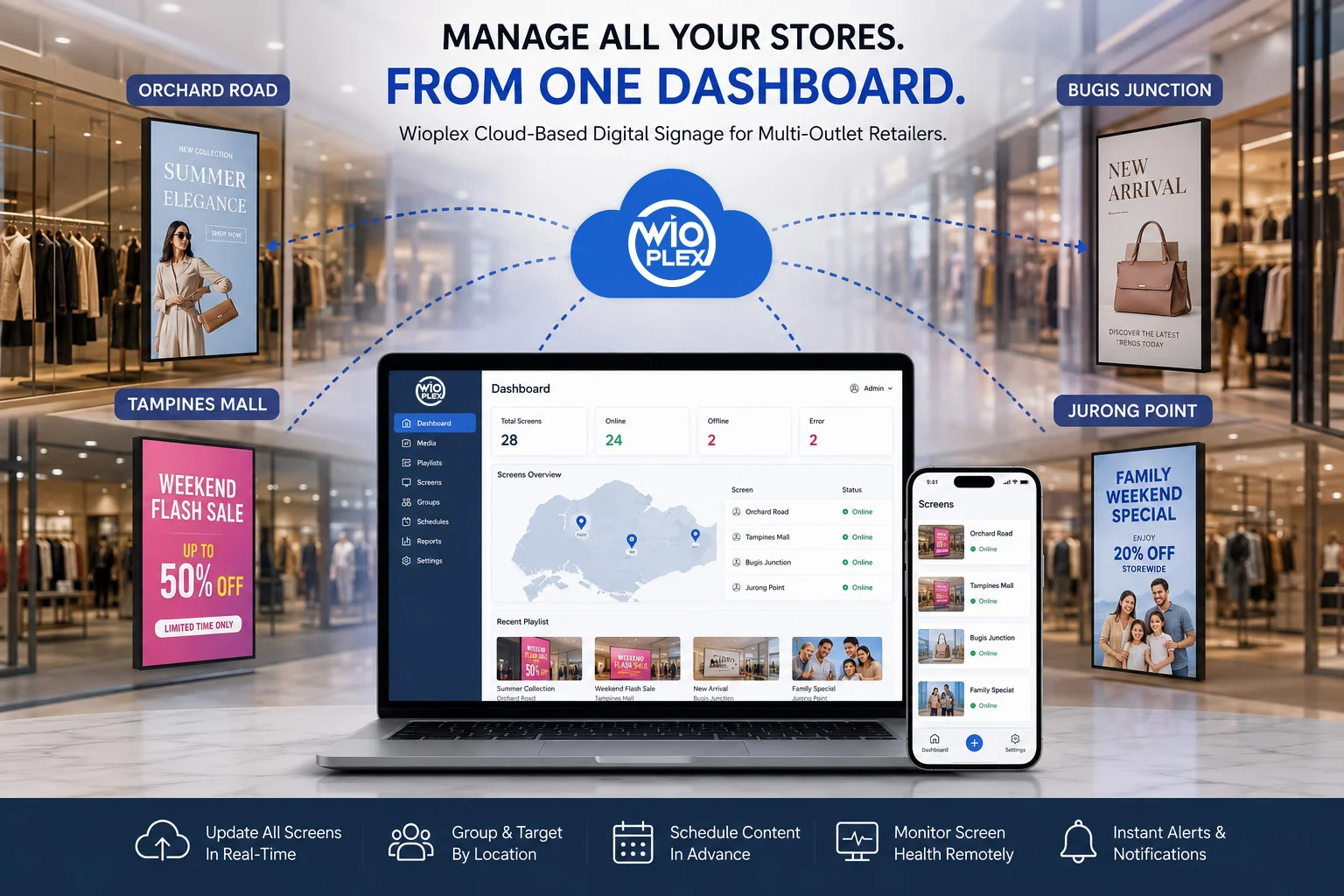
For example, a marketing team based at the head office could update displays at several retail locations from a central dashboard.
Wioplex is designed around this type of cloud-based remote management, allowing businesses to create and manage content remotely.
What If You Have Multiple LED Screens?
This is where dedicated digital signage software becomes even more useful.
Managing one screen manually may be manageable.
Managing five, ten or fifty screens is a completely different situation.
Imagine a retailer with LED displays at:
- Orchard
- Tampines
- Jurong
- Bugis
- Other locations
If every screen needs to be updated individually, the process can quickly become time-consuming.
With cloud-based digital signage software, businesses can manage multiple screens from a central platform and distribute content according to their requirements.
You could send the same campaign to every location or display different content on different screens.
For example:
All outlets:
Company-wide promotion
Orchard:
Premium product campaign
Tampines:
Family-focused promotion
Jurong:
Weekend promotion
This type of centralized management is particularly useful for businesses operating multiple locations in Singapore.
Do You Need Cloud-Based Digital Signage Software?
For a single screen showing the same content continuously, a simple setup may be enough.
However, cloud-based digital signage becomes increasingly useful when you need to:
- Manage screens remotely
- Change content frequently
- Schedule content
- Manage multiple screens
- Manage multiple outlets
- Deploy different content to different displays
- Reduce manual screen updates
- Give marketing teams greater control
Instead of relying on a computer or USB drive at each location, the cloud provides a centralized management layer.
This means your physical LED screen can remain where it is while the content can be managed from elsewhere.
LED Screen vs Digital Signage Software: What’s the Difference?
It is useful to think of the two as separate parts of the same system.
| LED Digital Signage Screen | Digital Signage Software |
|---|---|
| Displays your content | Manages your content |
| Physical hardware | Cloud/software platform |
| Installed at your location | Accessed through a management interface |
| Produces the visual output | Controls what is displayed |
| Requires content to display | Creates, schedules and distributes content |
You need the screen to display your message.
You need the software to manage that message efficiently.
Together, they create a complete digital signage solution.
What About Using a USB Drive?
USB drives can work for simple digital signage applications.
For example, if you have one screen and only need to replace the content occasionally, manually transferring files may be sufficient.
But the limitations become obvious as your requirements grow.
With a USB-based workflow, someone may need to:
- Create the content
- Save it to a USB drive
- Travel to the screen
- Connect the USB drive
- Replace the old content
- Check that the correct content is playing
Now multiply that process across several outlets.
Cloud-based digital signage removes much of this manual workflow by allowing content to be managed and distributed remotely.
What Should You Look for in LED Digital Signage Software?
If you already own an LED display, don’t choose software based only on how attractive the interface looks.
Consider whether the platform provides the features your business will actually need.
Remote Management
Can you update your screens without physically visiting them?
Content Scheduling
Can you schedule different content for different times and days?
Multiple Screen Management
Can you manage several displays from one account?
Content Management
Can you easily upload, organize and reuse your images and videos?
Templates and Widgets
Does the platform help you create professional content without requiring advanced design skills?
Scalability
Can you add additional screens or locations as your business grows?
Reliability
What happens if the internet connection temporarily drops?
Support
Can you get technical assistance when you need it?
These considerations can make a significant difference to the long-term value of your digital signage investment.
How Wioplex Helps You Get More From Your LED Screen
If you already invested in an LED digital signage screen, the next step doesn’t necessarily mean buying more hardware.
It may simply mean improving how you manage the screen.
Wioplex is a cloud-based digital signage software platform designed to help businesses create, manage and distribute digital content.
With Wioplex, businesses can use features such as:
- Remote screen management
- Content scheduling
- Drag-and-drop content management
- Professional templates
- Customizable widgets
- Multiple screen management
- Dynamic content
- Cloud-based access
The platform is designed to scale from a single screen to multiple displays, making it suitable for businesses that may expand their digital signage network over time.
For Singapore businesses, Wioplex also provides local technical support, giving businesses access to a team operating within the same time zone.
Your LED Screen Is the Beginning, Not the End
An LED digital signage screen is a powerful visual communication tool, but the hardware alone does not determine how effectively you can use it.
The right digital signage software can help you turn your screen into a more flexible and manageable business tool.
Instead of manually replacing content, you can schedule campaigns.
Instead of visiting every screen, you can manage them remotely.
Instead of managing each outlet separately, you can centralize your digital signage network.
And instead of treating your LED screen as a large display that simply plays videos, you can use it as a dynamic communication platform for promotions, menus, announcements, information and customer engagement.
Already Own an LED Digital Signage Screen?
If you have already invested in an LED screen and are looking for a simpler way to manage your content, Wioplex Cloud-Based Digital Signage Software can help you take the next step.
Create, schedule and manage your digital signage content from one centralized platform.
Want to see how Wioplex can work with your LED display? Contact the Wioplex team to request a demo.